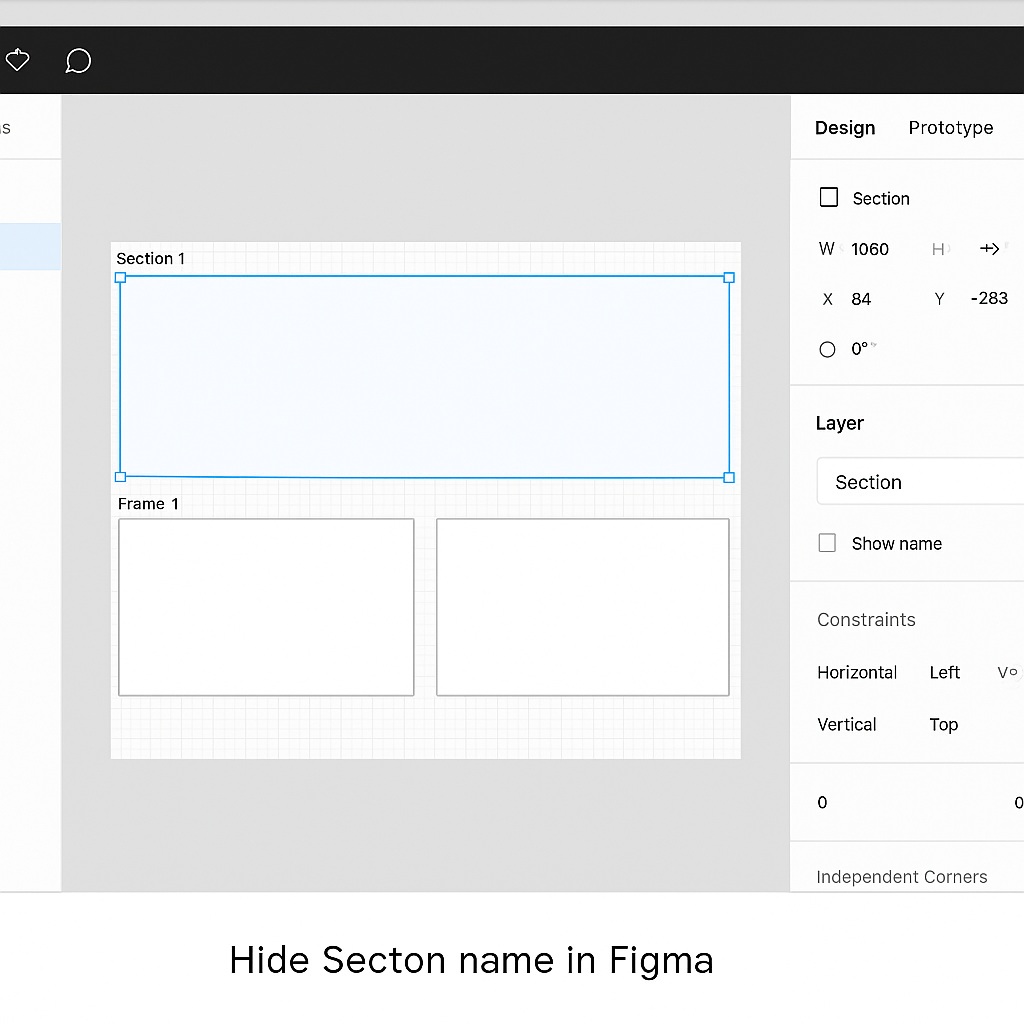
Figma’s Sections are great for organizing complex files into meaningful chunks—like separating flows, pages, or team ownership. By default, each section displays its name prominently in the upper-left corner. While helpful, this label can sometimes clutter your canvas or distract from the design itself. Fortunately, Figma provides an easy way to toggle section names off the canvas without affecting file organization.
🧠 Why Hide Section Names?
There are several reasons you might want to hide section names in Figma:
- You’re preparing a presentation or prototype and want a cleaner look.
- The section title overlaps with content or interferes with screenshots.
- You already use the Layers panel for navigation and don’t need visible labels.
- You’re exporting visuals and don’t want labels appearing on images.
🛠 How to Hide a Section Name
Here’s how to remove the section name from the canvas view:
- Click on the Section
- Use the Move tool (shortcut:
V) to select the section. It must be selected directly—clicking inside it won’t work unless the section is highlighted.
- Use the Move tool (shortcut:
- Open the Right Sidebar
- In the right-hand properties panel, scroll to the Layer section.
- Uncheck “Show name”
- You’ll see a checkbox labeled Show name. Simply uncheck it.
Voilà! The section label will disappear from the canvas, but the section is still fully functional—and still named in the Layers panel.
🔄 How to Re-Show the Section Name
To restore the section label:
- Select the section again.
- In the Layer panel on the right, check the box labeled Show name.
- The label will reappear exactly where it was.
🧩 Bonus Tips
- You can apply this to multiple sections at once by selecting them together and toggling the setting.
- This does not affect exported files or developer handoff.
- It’s useful in Design View, especially for shared team canvases where visual clarity matters.
✅ Final Thoughts
Figma gives you full control over how your canvas looks—and that includes hiding section names. Whether you’re fine-tuning a client presentation or simply want a cleaner workspace, toggling off section titles is a quick and simple trick that keeps your designs focused and tidy. And since the name remains in the Layers panel, your structure stays organized behind the scenes.

 Designilo