If you’re coming from print design tools like Adobe InDesign or Illustrator, you might be used to working in inches, points, or centimeters. But in Figma—a screen-first design tool—everything revolves around a single, digital-native unit: the pixel (px).
Understanding how Figma handles units is essential for building clean, scalable, and consistent interfaces. Let’s dive into what that means in practice.
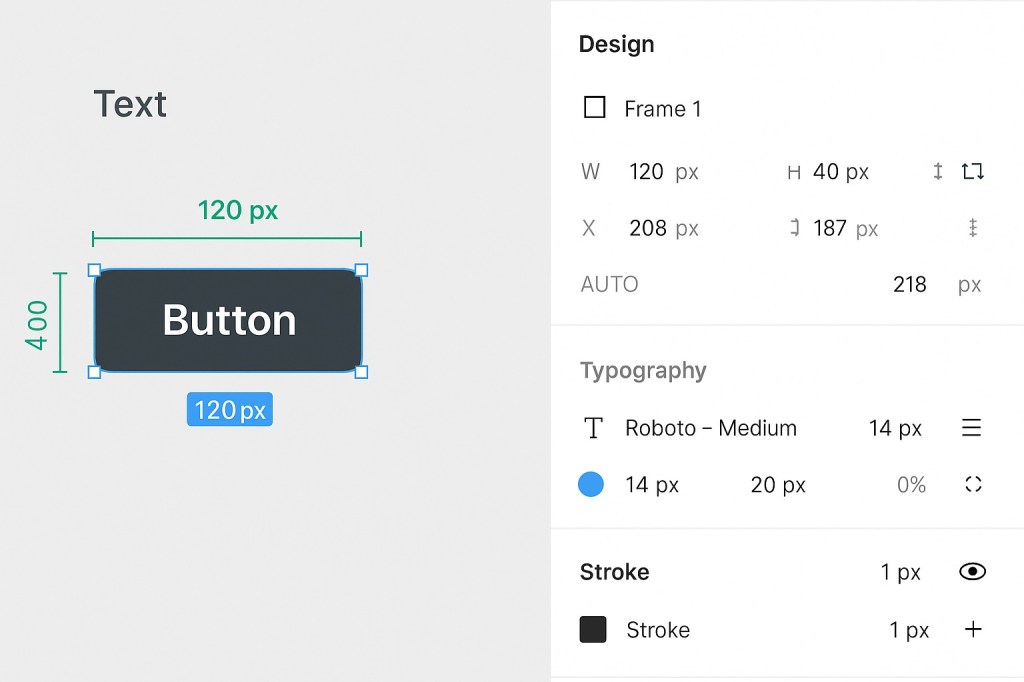
📏 The Default Unit in Figma: Pixels
Figma uses pixels (px) as the standard unit for:
- Frame dimensions
- Spacing (margins, padding, gaps)
- Typography (font size, line height, letter spacing)
- Stroke widths
- Corner radii
- Shadows and blur settings
When you drag, type, or adjust any of these values, Figma interprets them as pixels—even if you don’t see “px” explicitly labeled next to the number.
🖥️ Why Pixels?
Figma is built for digital design—web, mobile apps, desktop UIs, and more. Since screens are made of pixels, it makes sense to use pixels as the universal unit. It ensures your designs are:
- Responsive and scalable
- Accurate to how they’ll appear on real devices
- Consistent with front-end development units (like CSS)
📐 Are There Other Units in Figma?
No. Figma doesn’t offer built-in support for inches, centimeters, millimeters, or points.
If you need to work in print dimensions (e.g., designing flyers or posters), you can:
- Use conversion ratios (e.g., 1 inch ≈ 96 px at 1x resolution)
- Create custom templates at specific pixel dimensions
- Use plugins that simulate print layouts or guide conversions
Still, the layout and tools remain pixel-based throughout.
✨ Bonus: Pixels & Scaling
Figma uses vector-based design, so even though it works in pixels, the designs themselves are scalable and resolution-independent. You can export at 1x, 2x, or even higher resolutions, making Figma perfect for designing assets for multiple screen densities (like Retina or Android HDPI).
✅ Final Thoughts
Figma uses pixels (px) as its core design unit, optimized for clarity, consistency, and screen fidelity. If you’re designing digital interfaces, this approach aligns closely with how developers build and users experience apps and websites. Just remember: in Figma, every measurement is a pixel—simple, predictable, and perfect for the modern web.

 Designilo