Figma has become the design tool of choice for teams big and small—but once your organization crosses into enterprise territory, things change.
You’re no longer just managing components. You’re managing people, permissions, standards, libraries, workflows, tokens, governance—all at scale.
This article breaks down how to use Figma effectively in an enterprise environment without letting chaos take over.
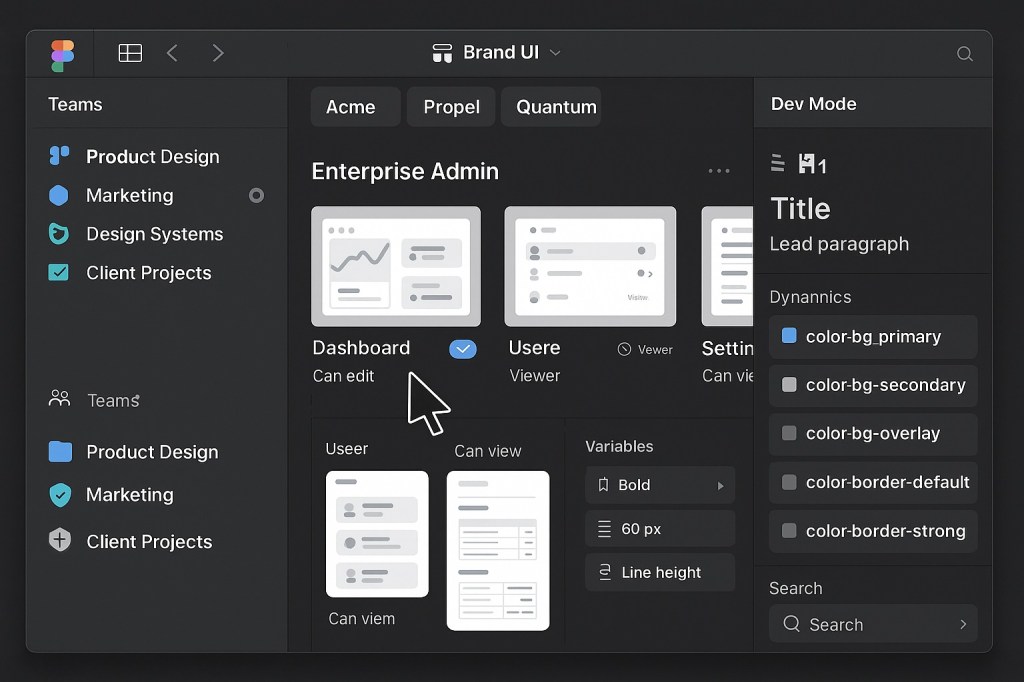
🏢 Why Governance Matters in Figma
Enterprise teams deal with:
- Dozens of designers
- Multiple brands or products
- Internal and external contributors
- Global design systems
- Legal and compliance constraints
Without governance, things fall apart:
- Duplicated components
- Inconsistent design decisions
- Broken libraries
- Bloated files
- Slow onboarding
Figma makes collaboration easy—but governance is what makes it sustainable.
🔐 Key Areas of Governance in Figma
1. Permissions and Access Control
Use roles and file-level settings to define:
- Who can edit vs. view
- Who can publish libraries
- Who owns design systems
Use teams, projects, and groups strategically to isolate responsibilities.
2. Library Management
Centralize:
- Core design systems
- Brand libraries
- Icon sets
- Tokens and variables
Use published libraries with clear ownership, naming conventions, and documentation pages to avoid version sprawl.
3. Branching and Version Control
Encourage:
- Feature branches for experiments
- Merges with review protocols
- Cleanup policies for old branches
Think like engineers: design branching = safer iteration.
4. Token & Variable Structure
Implement:
- Semantic naming (
color-bg-primary) - Modes for brands/themes
- Collections for spacing, typography, elevation
This makes handoff easier and supports Dev Mode integration at scale.
5. Documentation and Onboarding
Use Figma pages and components to document:
- How to use each library
- Do’s and don’ts
- Brand rules
- Accessibility guidance
Pair with internal onboarding kits for fast ramp-up.
🛠 Recommended Practices
| Area | Best Practice |
|---|---|
| File naming | App / Page / Purpose |
| Shared styles | Use tokens and variables, not raw values |
| Design systems team | Create a dedicated governance team |
| Plugin management | Curate approved plugin list for consistency |
| Audit frequency | Run monthly or quarterly file reviews |
🤝 Dev Mode for Enterprise Handoff
Dev Mode isn’t just a developer feature—it’s a governance feature:
- Shows tokens and specs clearly
- Reduces the need for extra documentation
- Makes component logic visible and consistent
When paired with variables and well-structured libraries, handoff becomes scalable and safe.
📈 Final Thoughts: Scale = Structure
Figma scales beautifully—if you add structure behind the scenes.
Governance isn’t about locking things down—it’s about enabling creativity at scale while keeping everything sane.
Build guardrails. Set standards. And let your team run fast—without breaking the system.

 Designilo